Auditor partners
Early accessWorking with TrustProof as a CPA firm or certification body
CPA firms and ISO certification bodies review their clients’ TrustProof evidence in their own read-only Auditor Dashboard, with a separate auditor sign-in and two-step verification. There is no cost to auditors, and TrustProof pays no referral fees or commissions, so your work with a client never depends on recommending us.
For CPA firms and certification bodies
What your firm gets
- Your own auditor sign-in
- Auditors sign in separately from their clients’ workspaces, with one login for every client who uses TrustProof.
- Two-step verification
- Auditors must turn on two-step verification (an authenticator app code, with backup codes) and sign in with it before they can see any client evidence.
- Evidence organised by control
- Evidence is organised by control or requirement for each framework, such as SOC 2 criteria or ISO/IEC 27001 Annex A controls, with owner sign-offs, file versions and AWS checks attached.
- Read-only, released evidence only
- You see only evidence the client has released to your engagement, read-only and until the access end date the client sets. Internal notes, other clients and prices are never shown.
- Integrity you can check
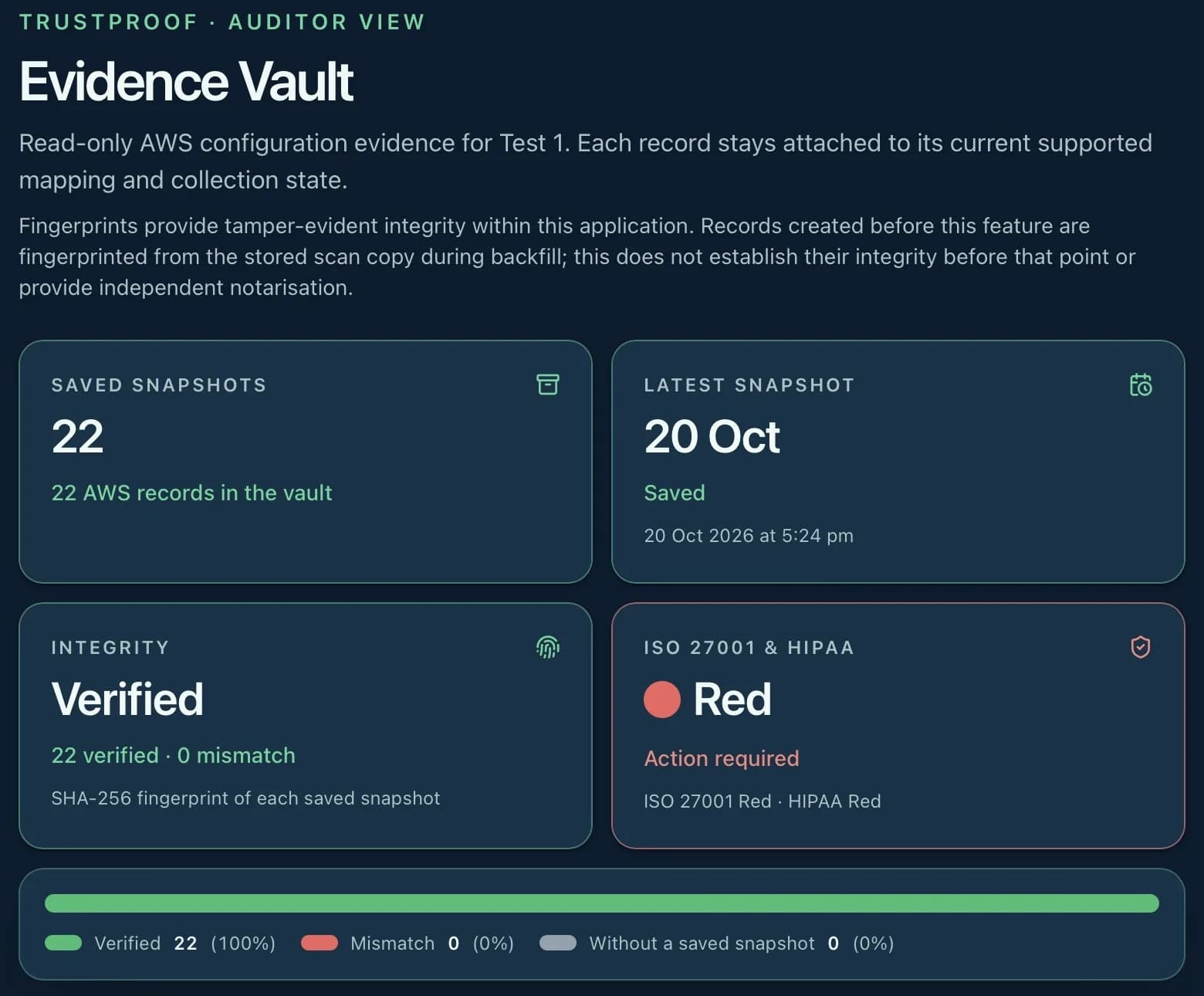
- Each owner sign-off pins a SHA-256 fingerprint of exactly what was approved, and each evidence file version is written once and kept. Views, requests and downloads are logged.
- No cost to auditors
- Auditor sign-in and the Auditor Dashboard are at no cost to auditors.
Our independence commitment
TrustProof pays no referral fees or commissions to auditors, and does not ask auditors to recommend TrustProof to their clients. Clients choose their own CPA firm or certification body, and auditors choose their own procedures.
We keep it this way so that a client using TrustProof creates no referral fee, commission or other financial arrangement between TrustProof and your firm. Your firm remains responsible for its own independence (AICPA) or impartiality (ISO/IEC 17021-1) assessment.
TrustProof never certifies and does not form, issue or decide an audit opinion or certification decision. You review, you decide.
How access works
- Your client invites you. The client invites your auditor by email from their TrustProof workspace.
- Accept and turn on two-step verification. Accept with a signed-in TrustProof account whose verified email matches the invitation, then turn on two-step verification.
- Review in the Auditor Dashboard. Use Auditor sign in to open the Auditor Dashboard and review the evidence the client has released, by control.
What TrustProof doesn't do
- TrustProof never certifies and does not form, issue or decide an audit opinion or certification decision.
- Auditors cannot change client evidence or the client’s AWS account.
- TrustProof pays no referral fees or commissions and does not ask auditors to recommend it.
FAQ
Frequently asked questions
Do auditors pay to use TrustProof?
No. Auditor sign-in and the Auditor Dashboard are at no cost to auditors.
Does TrustProof pay referral fees or commissions to auditors?
No. TrustProof pays no referral fees or commissions and does not ask auditors to recommend it. Your firm remains responsible for its own independence and impartiality assessment.
Can ISO certification bodies use it as well as CPA firms?
Yes. Certification bodies use the same Auditor Dashboard, with evidence organised by clause or Annex A control, and can see the client’s Statement of Applicability export for ISO frameworks. The certification decision is always yours.
Can the auditor change anything?
No. Auditor access is read-only. You can view released evidence, make requests and download files when the client allows it, but not change evidence or the client’s AWS account.
How do we start?
Your client invites you from their workspace. If your firm would like to talk to us first, use the contact form.