Frameworks · SOC 2
SOC 2 readiness for teams on AWS
TrustProof scans your AWS account through a read-only role and maps the findings to SOC 2, so you can see where you stand before your CPA firm examines you. Your dashboard shows red, amber or green SOC 2 readiness, and the CPA dashboard organises the evidence for your CPA to review.
Key facts
What you can check
- Read-only AWS role
- TrustProof connects through a read-only IAM role you create from our CloudFormation template and can remove at any time. No passwords, no stored keys.
- Mapped SOC 2 criteria
- The AWS checks map to four selected SOC 2 criteria (CC6.1, CC6.6, CC6.7 and CC7.2) for traceability. The remaining criteria rely on policies, procedures and records your team provides.
- Free scan scope
- The free scan is one per verified workspace. It is read-only, and its AWS checks map to four selected SOC 2 criteria (CC6.1, CC6.6, CC6.7 and CC7.2).
- Red, amber, green readiness
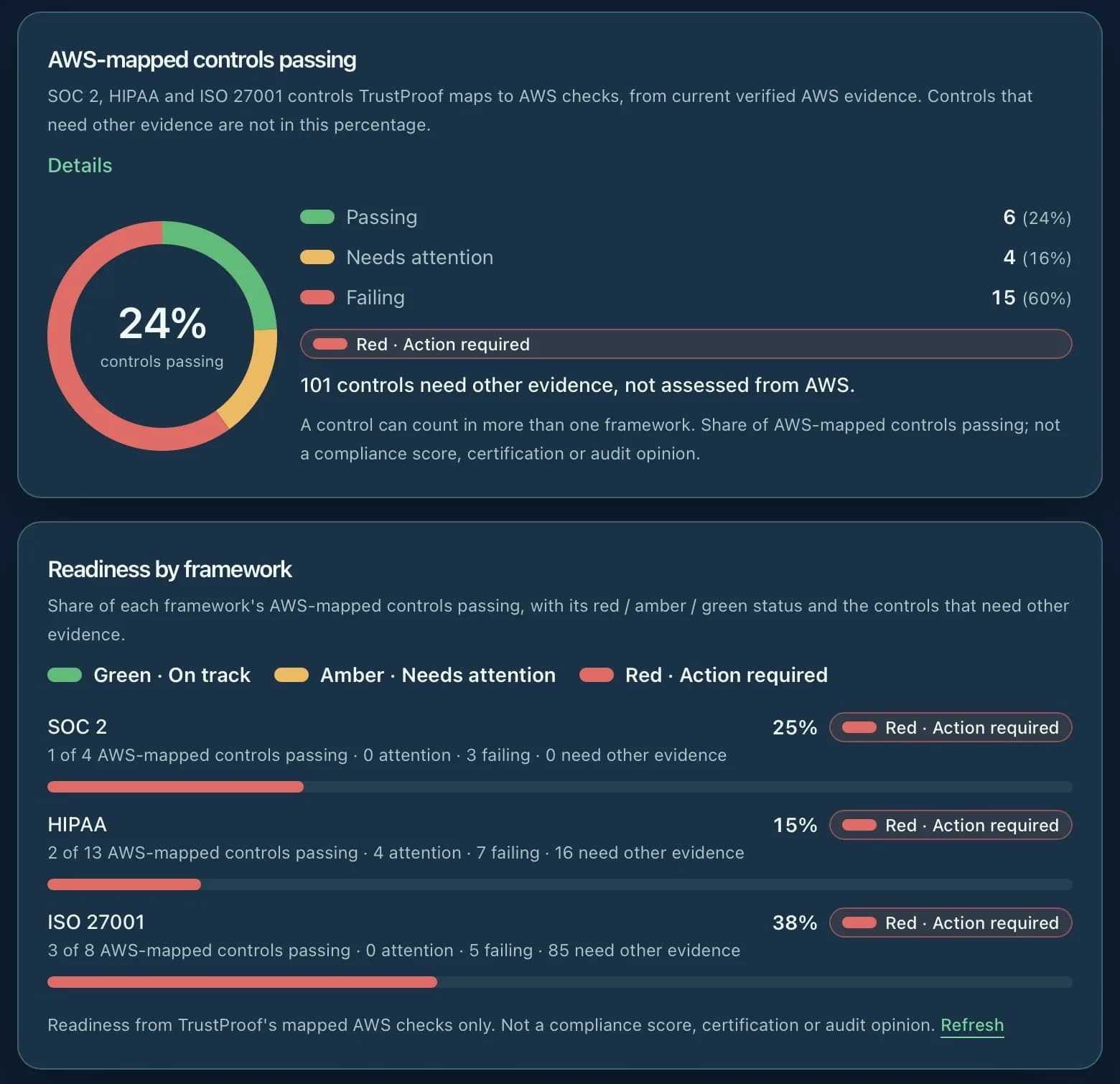
- Your dashboard shows a red, amber or green SOC 2 status, worked out from your latest scan and the evidence collected for each mapped control.
- CPA dashboard
- The CPA dashboard lists each mapped SOC 2 control with its evidence, source, collection date and freshness, and shows evidence gaps, so your CPA can review it. Export it as PDF or CSV.
- SHA-256 evidence snapshots
- Each scan finding used as evidence is stored once as a snapshot with a SHA-256 fingerprint and its collection date, so any later change can be detected.
- Read-only access for your CPA or auditor
- Invite your CPA or auditor to your workspace as a read-only auditor. They must sign in with two-step verification before they can see any evidence.
- Hosted in AWS Sydney
- TrustProof runs on AWS in the Sydney region (ap-southeast-2), encrypted at rest and in transit.
Guided programme
Guided SOC 2 readiness programme
Live: a guided SOC 2 readiness programme that takes you through the Trust Services Criteria beyond what the AWS checks can see (61 criteria in 13 areas), with plain-language questions, 20 policy and procedure templates, and owner sign-offs pinned to a SHA-256 fingerprint. The Security criteria are always in scope; Availability, Confidentiality, Processing Integrity and Privacy can be left out by agreement with your CPA firm. Your CPA reviews the evidence you release in their own dashboard, with two-step verification.
What TrustProof does
- Scans your AWS account through a read-only role and ranks findings by risk
- Maps findings to four selected SOC 2 criteria and shows a red, amber or green readiness status for them
- Collects the evidence for each mapped control in a CPA dashboard, exportable as PDF or CSV
- Prepares fixes that your engineer approves before anything changes
What TrustProof doesn't do
- TrustProof does not certify and does not issue a SOC 2 report. Only a licensed CPA firm can, after its own examination.
- Its AWS checks do not cover every SOC 2 criterion; the rest needs your policies and records.
- It does not recreate your security posture from before you connected.
- It does not change your AWS account without an approval you give.
FAQ
Frequently asked questions
Does TrustProof issue a SOC 2 report?
No. A SOC 2 report is issued by an independent CPA firm after its examination. TrustProof gets your AWS environment and evidence ready and gives your CPA a place to review it.
Which SOC 2 criteria do the AWS checks cover?
The AWS checks map to four selected SOC 2 criteria (CC6.1, CC6.6, CC6.7 and CC7.2) for traceability. The other criteria rely on policies, procedures and records your team provides.
Can TrustProof change my AWS account?
Not through the read-only connection. Fixes need a separate role that you add, and each fix runs only after your engineer approves it.
How does my CPA see the evidence?
Invite your CPA to your workspace as a read-only auditor. They sign in with two-step verification and see the CPA dashboard: each mapped criterion with its evidence, source and collection date. You can also export it as PDF or CSV.
What does it cost?
The first AWS scan is free. One-Button Fix is A$1,499 one-off. Plans are a one-off Readiness Programme plus Continuous Monitoring from A$899 a month. All prices are in Australian dollars and include GST.